Creating a home office is about more than placing a desk and chair in an available corner. A successful workspace should fit your working habits, the dimensions of your home and the amount of equipment you use. It should also help you separate work from personal time, particularly if the same room serves several purposes.
This guide covers home office ideas for dedicated rooms, bedrooms, living areas and compact spaces. It explains how to choose a location, plan the layout, improve comfort, manage cables, add storage and create a professional background for video calls without making your home feel like a commercial office.
Start with the way you work
The best home office design begins with your daily tasks rather than a particular furniture style. Consider what you need to do most often and design around those activities.
- Computer-based work: Prioritise a suitable desk depth, comfortable seating, monitor positioning and cable management.
- Writing or paperwork: Allow enough clear surface area for notebooks, documents and reference materials.
- Creative work: Consider adjustable lighting, open surfaces and storage for tools or materials.
- Video meetings: Plan the camera angle, background, microphone position and control of natural light.
- Frequent calls: Choose a quieter location and consider headphones or other ways to reduce interruptions.
- Shared use: Look for furniture and layouts that can be reset easily when another person needs the room.
Choose the right location
A dedicated room is convenient, but it is not essential. The most suitable location is usually the one that provides enough space, reasonable light and the fewest distractions.
Dedicated home office
A separate room makes it easier to establish a work routine and close the door at the end of the day. It can also provide more space for filing, equipment and video meetings. Use the room's natural focal point, such as a window or a built-in shelving unit, to guide the layout rather than automatically placing the desk against the wall.
Living room workspace
If your office must share a living room, use furniture that visually belongs in the room. A compact desk, narrow console-style workstation or cabinet with a fold-down surface may be less disruptive than a large office suite. A screen, open shelving or tall plant can help define the work area without permanently dividing the room.
Bedroom office
A bedroom workspace can be practical when other rooms are unavailable, but it may make it harder to switch off. Position the desk so it is not the first thing you see when going to bed, and use closed storage to conceal work materials outside working hours.
Alcove, landing or unused corner
A shallow alcove can work well with a wall-mounted surface or compact desk. Measure carefully before buying furniture, including space for your chair and the ability to open nearby doors, drawers and windows.
Home office layout ideas
Good layouts keep essential items within reach while leaving enough room to move. Before purchasing furniture, mark the proposed desk and chair footprint with masking tape or cardboard. This makes it easier to spot cramped walkways or awkward door positions.
Single-wall layout
A single-wall arrangement is efficient for small rooms and shared areas. Place the desk along one wall, add vertical storage above or beside it, and keep the centre of the room open. This layout works especially well when the workspace needs to disappear into the background.
Window-facing layout
Facing a window can provide an appealing outlook and useful daylight. However, glare may affect screens, and a camera may capture a bright background during video calls. Adjustable blinds or curtains can give you more control.
Perpendicular-to-window layout
Positioning the desk at a right angle to a window often provides balanced natural light while reducing direct reflections on the screen. It can also create a more neutral background for calls.
Corner layout
A corner desk can make efficient use of an underused area, particularly if you need two screens or separate zones for computer work and paperwork. Check that the corner does not make it difficult to access cables or clean behind the desk.
Two-person layout
For a shared office, two desks can face the same wall, sit opposite each other or meet at a right angle. Consider sound, screen privacy, storage and whether both people need simultaneous access to power outlets and video-call space.
Furniture and ergonomic decision factors
Furniture should support a neutral, comfortable working position without forcing you to remain still all day. General ergonomic guidance is useful, but individual needs vary. If you experience persistent pain, numbness or other symptoms, seek advice from an appropriately qualified healthcare professional.
Desk
Choose a desk that accommodates your monitor, keyboard, mouse and everyday work materials without leaving you perched at the edge. A depth-adjustable or height-adjustable desk can provide flexibility, but a fixed desk may be entirely suitable if its dimensions and height work for you.
Check the clearance beneath the desk before buying. Drawers, crossbars and storage pedestals can restrict leg movement. If you use a laptop with a separate monitor, allow space for the additional equipment and its cables.
Chair
Look for a chair that allows you to sit with your feet supported and your arms relaxed while using the keyboard. Useful adjustments may include seat height, back support and armrests, although the right configuration depends on your body and desk. A footrest can help when your chair must be raised to match the desk.
Monitor and laptop position
Place the main screen directly in front of you to avoid repeatedly twisting your neck. If you use two screens equally, position them together in front of you rather than placing one far to the side. A laptop stand can raise the screen, but you will normally need a separate keyboard and mouse for a comfortable setup.
Movement
Even a well-arranged desk should not encourage long periods of uninterrupted sitting. Build in short movement breaks, change tasks where possible and consider a sit-stand arrangement only if it can be adjusted safely and used comfortably.
Lighting ideas for a home office
Layered lighting is usually more practical than relying on a single overhead fixture.
- Natural light: Use daylight where possible, while controlling glare with blinds or curtains.
- General lighting: Provide enough light to move around safely and see the room clearly.
- Task lighting: Add a desk lamp for reading, writing or detailed work. Position it to reduce shadows from your writing hand.
- Video-call lighting: A light source in front of you is often more flattering and useful than strong light behind you.
- Evening lighting: Use a softer secondary light so the room does not feel harsh when you work after dark.
Test the workspace at different times of day. A layout that looks comfortable in the morning may create screen reflections in the afternoon.
Storage and organisation ideas
Effective storage reduces visual clutter and makes it easier to start work. Before buying organisers, sort items into categories such as daily-use equipment, occasional supplies, documents and items that should be stored elsewhere.
- Use vertical shelving when floor space is limited.
- Keep frequently used items between waist and eye level.
- Use closed boxes or cupboards for supplies that make the room look untidy.
- Reserve one drawer or tray for incoming paperwork and another for items that need action.
- Label storage if several people share the office.
- Keep the floor clear where possible so cleaning and movement are easier.
For a multifunctional room, consider a cupboard workstation, rolling storage or a desk with a foldaway surface. These options can help you pack away work at the end of the day, although they require a simple routine for reconnecting equipment.
Cable management and technology
Cables can make even a carefully designed office look chaotic. Start by deciding which devices you actually use, then plan the shortest practical routes to power and connectivity.
- Group cables by device or function rather than bundling everything together.
- Use reusable ties, clips or a cable tray to keep wires off the floor.
- Label both ends of cables that are difficult to identify.
- Leave enough slack to move or clean equipment without pulling connectors.
- Keep power equipment ventilated and follow the manufacturer's instructions.
- Place chargers in a consistent location so they are easy to find.
Before buying a monitor, dock or other accessory, check compatibility with your computer and the connections already available. Product specifications and manufacturer guidance are more reliable than assumptions based on appearance.
Video-call background ideas
A good background is clear, tidy and appropriate for your work. It does not need to look like a studio.
- Use a plain wall, bookcase or carefully arranged shelving.
- Keep personal documents and sensitive information out of view.
- Position the camera at approximately eye level and frame your head and shoulders comfortably.
- Check what appears behind you before an important meeting.
- Use a folding screen or curtain if the office shares a room with personal areas.
- Test audio in the actual room, since hard surfaces can create echoes.
If your work involves confidential information, avoid displaying screens, paperwork or whiteboards that others could read.
Style ideas for different homes
Minimal and calm
Use a limited colour palette, closed storage and a small number of useful accessories. This approach can reduce visual distractions, but avoid removing items you rely on every day simply to create a sparse appearance.
Warm and residential
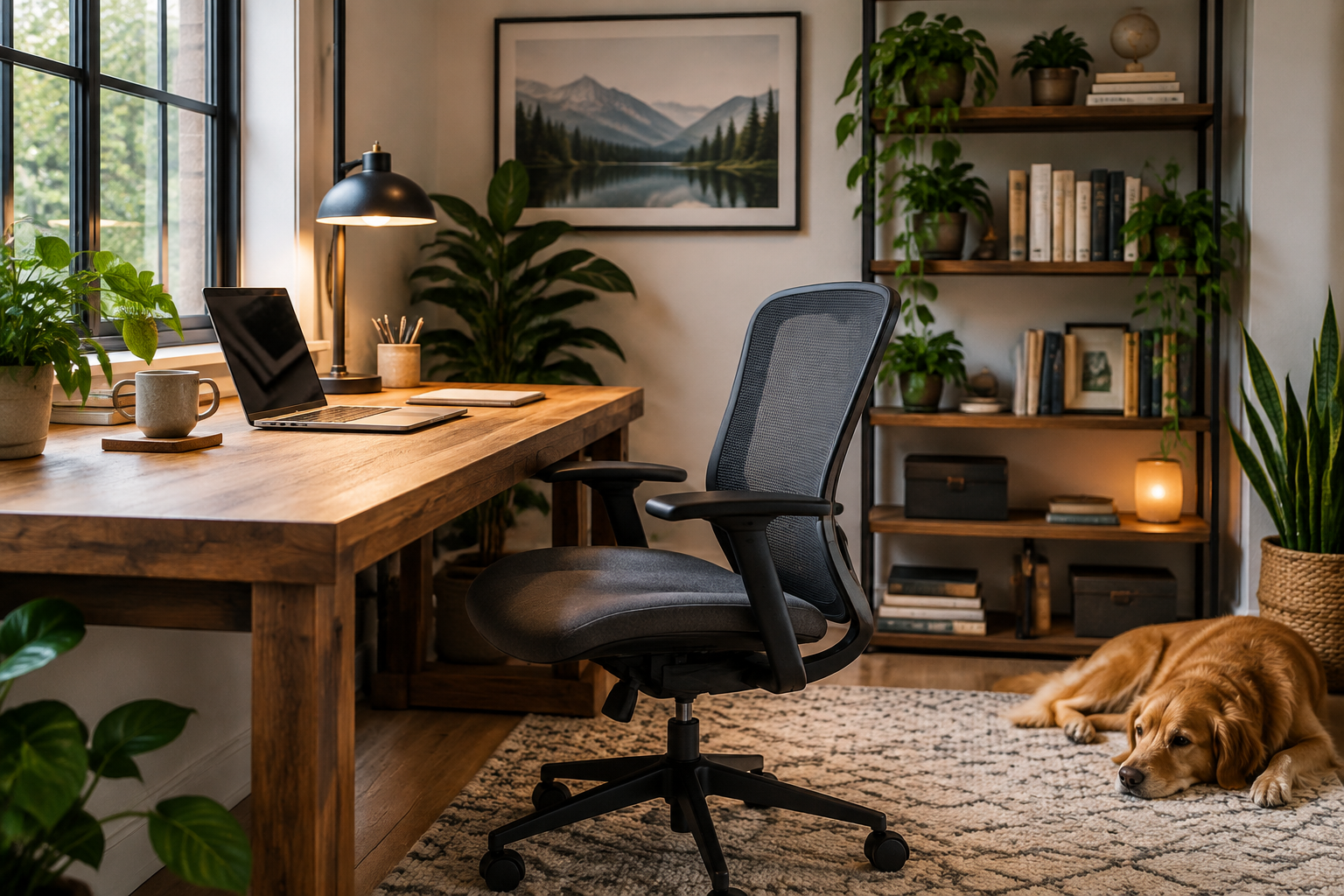
Combine practical office furniture with materials and colours already used in the room. A desk lamp, framed artwork, textiles or a plant can help the workspace feel integrated rather than temporary.
Small-space practical
Choose slim furniture, wall-mounted storage and equipment with more than one function. Measure everything, including the chair when pulled out, before committing to the layout.
Creative and flexible
Use a large work surface, movable storage and adjustable lighting. Keep specialist tools in clearly defined zones so the space remains usable for ordinary computer work.
Budget-friendly home office improvements
You do not need to replace everything at once. Start with changes that solve the biggest practical problem.
- Measure the room and remove furniture that does not support your work.
- Improve the chair and screen position before adding decorative items.
- Use existing shelves, boxes or containers to test a storage system.
- Add a lamp if lighting changes significantly during the day.
- Organise cables and relocate power equipment from walkways.
- Buy additional furniture only after using the revised arrangement for a while.
When comparing products, consider total cost, durability, adjustability, delivery requirements, return terms and whether the item can be repaired or reused if your needs change.
Questions to ask before finalising your office
- What tasks will I perform most often at this desk?
- Do I need space for one screen, multiple screens, paperwork or specialist equipment?
- Where will work materials go when the working day ends?
- Will natural light cause glare or make video calls difficult?
- Can I reach power and connectivity without trailing cables across a walkway?
- Is the chair comfortable and adjustable enough for my setup?
- Will another person need to use this room?
- Do I need privacy for calls, documents or screens?
- Can the layout be changed if my work pattern or equipment changes?
- How will I keep the space tidy with minimal daily effort?
Frequently asked questions
How can I create a home office in a small room?
Use a compact desk or wall-mounted surface, prioritise vertical storage and choose equipment carefully. Keep the floor as open as possible, and confirm that the chair can move without blocking a door or walkway.
Should a home office desk face a wall or a window?
Either can work. A wall-facing desk may reduce distractions, while a window can provide daylight and a pleasant outlook. Consider screen glare, camera framing and how easily you can control the light before deciding.
What is the most important home office upgrade?
There is no single best upgrade for everyone. A better chair, improved screen position, suitable lighting or additional storage may have the greatest effect depending on the problem you currently experience.
How do I hide a home office in a living room?
Consider a cabinet workstation, fold-down desk, slim console desk or rolling storage. Closed storage and a consistent end-of-day reset can make the workspace less visually prominent.
How much space do I need for a home office?
The space required depends on your desk, chair, equipment and circulation needs. Measure the complete working footprint, including the chair pulled back and access to drawers, windows and doors, rather than measuring only the desk.
How can I make video calls look more professional?
Place the camera near eye level, face a soft light source, use a tidy background and test your audio. Remove confidential material from view and check the frame before meetings.
Final checklist
A practical home office should support your work without taking over your home. Before considering the project complete, check that the desk and chair suit your working position, the screen is placed sensibly, lighting is adjustable, storage is accessible, cables are controlled and the room can be reset at the end of the day.
Disclaimer: This article provides general home-office planning information, not personalised ergonomic, electrical, accessibility or professional workplace advice. Follow manufacturer instructions and applicable local requirements, and consult a qualified professional where your circumstances call for specific guidance.